
How to Copy a Pose from One Photo to Another with AI (Step-by-Step)
A complete guide to cloning poses from Pinterest, Instagram, or editorial magazines onto your own photos using AI: transfer body postures with zero manual bone drawing while preserving 100% facial likeness.
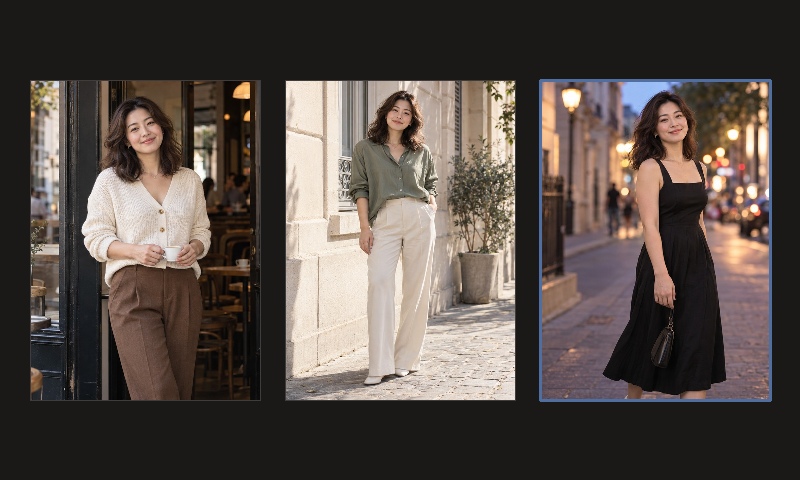
Have you ever come across a breathtaking pose on social media or in a fashion magazine — an effortless street walk, an editorial balcony lean, or a relaxed cafe seated posture — only to find yourself completely stiff and awkward when standing in front of a camera?
Historically, trying to "copy" someone else's pose left you with two frustrating choices: spend hours practicing in front of a mirror, or awkwardly Photoshop your cut-out head onto someone else's body, resulting in mismatched lighting angles and blurry neck seams.
In 2026, kinematic AI pose cloning and multi-reference transfer has solved this problem completely. All you need is two images:
- Photo A (Your Subject): A regular everyday portrait or selfie with clear facial features;
- Photo B (Target Pose Reference): Any aspirational pose, magazine editorial, or street photography shot you want to emulate;
The diffusion engine extracts the skeletal posture of Photo B while locking 100% of your facial likeness, eye contact, and skin tone from Photo A, generating a seamless studio portrait.
Visual Demonstration: The Two-Image Pose Cloning Pipeline
Here is an authentic end-to-end demonstration inside the AIPose studio:
The AI Pose Cloning Pipeline in Action
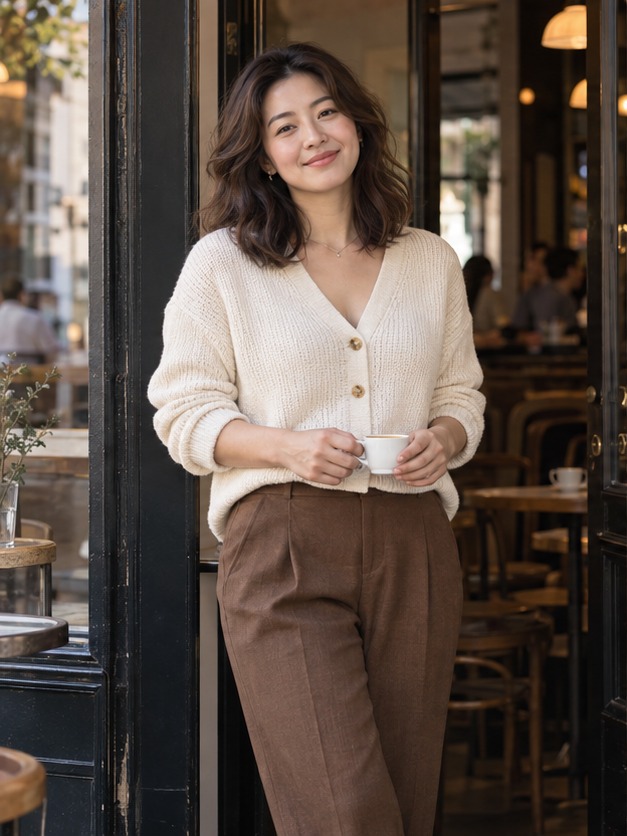
Provides facial bone structure, pupil spacing, hair texture, and natural dermal undertones.
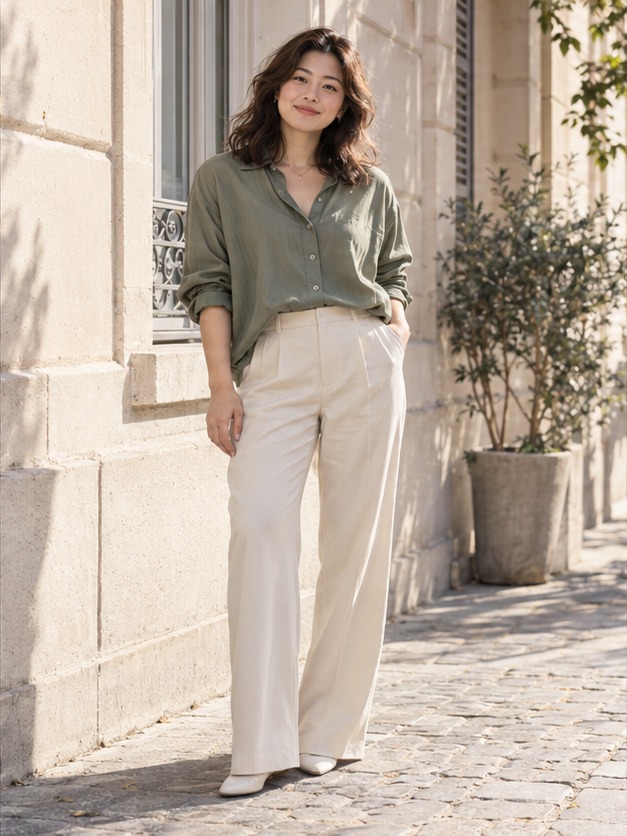
The desired pose discovered online (standing posture, arm placement, shoulder angle).
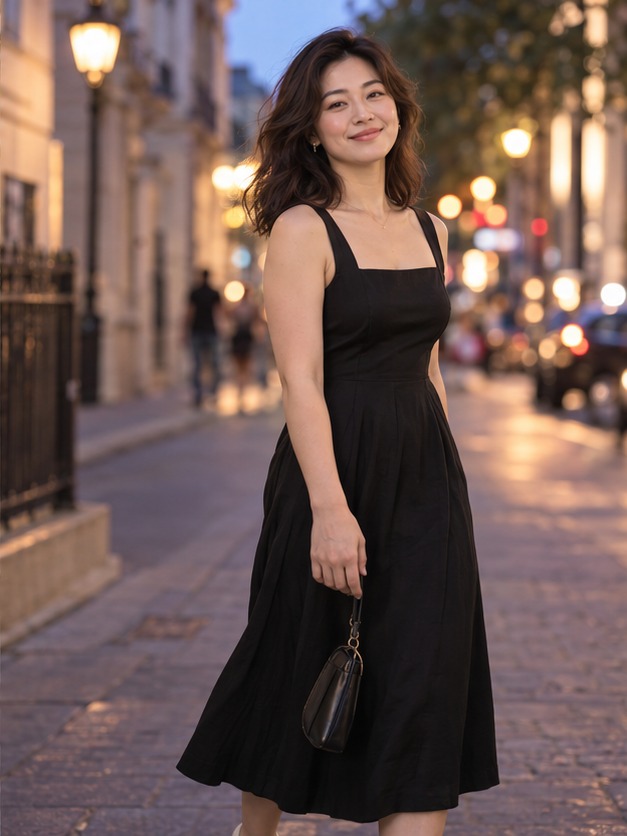
Executes the exact posture and lighting perspective of Photo B while locking your authentic face.
Why Does It Look Natural? Observe the realistic neck tension and fabric draping around the shoulders: the algorithm is not copying and pasting a face onto an existing photo. Instead, it re-renders the subject inside a unified latent diffusion pass guided by the reference skeleton.
Technical Architecture: How Pose Transfer Operates
Transferring a pose accurately between two independent images relies on three synchronized algorithmic layers:
- 3D Skeletal Kinematic Extraction: The engine reads the pose reference to map the stance, limb angles and spine curve of the reference figure. It strips away the model's physical body type and facial appearance, isolating pure kinetic geometry;
- Perspective & Lens FOV Calibration: The engine estimates the camera elevation, horizon level, and focal length of the reference image. If Photo B was captured at an eye-level 85mm perspective, the synthesis automatically computes appropriate depth-of-field blur and facial angle;
- Fabric Physics & Dermal Rendering: Limb articulation naturally introduces fold creases and directional tension into clothing. Rather than warping existing pixels, the diffusion network calculates real-time light bounces across fabric and skin simultaneously, eliminating synthetic artifacts.
4-Step Practical Tutorial: Cloning Any Pose in AIPose
Step 1: Upload Your Source Portrait (Photo A)
Click the upload area in the studio and select a clear, natural-light photo of yourself. A simple smartphone selfie or everyday headshot works best.
Step 2: Select or Upload the Target Pose (Photo B)
- Option 1 (Curated Pose Library): Choose from 220+ professional postures categorized by scene (street candid, executive studio, casual chic, editorial);
- Option 2 (Custom Upload): Click "Upload Custom Pose" to import any photograph or screenshot from Pinterest or Instagram.
Step 3: Choose Your Outfit & Styling
Keep your original clothing style or pair the new pose with tailored suits, cashmere knitwear, or flowing evening gowns.
Step 4: Render 4 Discovery Drafts and Export 2K HD
Click "Generate Poses" to produce a batch of 4 distinct drafts with your free welcome credits. Pin your favorite shot and export in full 2K commercial resolution.
3 Critical Traps to Avoid When Copying Poses
To ensure your pose transfer produces photorealistic anatomy, watch out for these common input mistakes:
❌ Mistake 1: Extreme Lens Perspective Mismatch
If Photo A is a tight 135mm portrait crop and Photo B is an ultra-wide 16mm fish-eye shot taken from the ground up, the neural network is forced to extrapolate extreme jaw angles, which can degrade likeness. Aim for reasonably compatible focal perspectives (35mm–85mm).
❌ Mistake 2: Severely Occluded Limbs or Crossed Hands
If the reference model has both arms tucked deeply inside an oversized coat, or hands concealed behind an enormous tote bag, keypoint estimators cannot infer joint coordinates, resulting in anatomical ambiguity. Choose references with clearly visible limb trajectories.
❌ Mistake 3: Harsh Clashing Lighting Conditions
If Photo A was taken under direct midday sun with pitch-black eye socket shadows, those shadow artifacts can corrupt the identity embeddings. Using a soft, frontally illuminated portrait yields the most authentic results.
Prompts for Cinematic Pose Dynamics & Environmental Lighting
Enhance the energy and lighting realism of your transferred posture by adding these prompt descriptors in the "Add details" box:
Candid Street Walk & Dynamic Fabric
Architectural Lean & Sculptural Shadows
Relaxed Cafe Seated Posture
Frequently Asked Questions (FAQ)
Can I transfer a male model's pose onto a female portrait (or vice versa)?
Yes. Keypoint estimators extract normalized 3D joint lines without gender bias. When transferred, the posture naturally adapts to your biological frame, hip-to-shoulder ratio, and spine curvature.
Can I copy poses from illustrations, anime, or 3D character art?
Yes. As long as the limb joints are visually recognizable, the skeletal extraction engine can translate the 2D illustration pose into realistic photographic human geometry.
How do I try this for free?
Every newly registered account automatically receives 12 studio trial credits, allowing you to run a complete 4-draft pose transfer session without entering payment details.
Found a Pose You Love? Put Yourself in It Today
No awkward studio shoots, no complicated Photoshop masking. Upload 1 portrait and 1 pose reference, and get a magazine-ready portrait in 35 seconds.
Related guides
- Lock a Pose, Change the Outfit: The 4-Draft AI Studio Workflow (2026 Guide)
A step-by-step walkthrough of generating multiple poses and outfits from one photo: the 4-draft discovery loop, locking mechanics, real credit costs, face consistency limits, and failed cases.
Nov 5, 2026
- How to Choose the Best Source Photo for AI Portraits (Fidelity & Camera Guide)
A complete guide to capturing or choosing the optimal source photo for AI pose changes: eliminating wide-angle lens distortion, preserving natural skin textures, and 4 rules for foolproof facial recognition.
Nov 1, 2026
- Your Face, Your Choice: AIPose Biometric Privacy Architecture & Data Sovereignty
Our strict biometric security architecture and privacy manifesto: a binding zero-training commitment, GPU VRAM scrubbing, encrypted private buckets, and full user data sovereignty.
Nov 1, 2026