
Best AI Pose Changer: Change a Pose in a Photo (2026 Guide)
Comparing the best AI pose changers in 2026: how to change a posture or stance in a photo without losing facial likeness, prompt requirements, setup difficulty, and pricing.
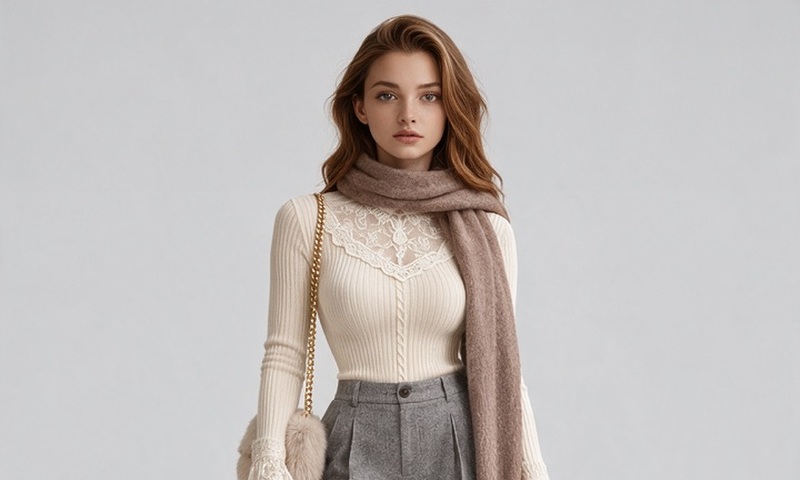
If you have ever tried to change a pose in a photo using AI, you have likely run into one of two common roadblocks: either the tool distorts your facial identity until you no longer recognize yourself, or it requires complex local GPU pipelines with OpenPose skeletons and hours of trial-and-error prompting.
In 2026, the technology has split into two very distinct approaches:
- Interactive Diffusion Studios (like AIPose): Upload a portrait, pick an editorial or candid pose preset from a catalog, and let multi-reference conditioning re-render the body and scene while locking your facial landmarks.
- Local ControlNet Pipelines (Stable Diffusion / ComfyUI): Run an OpenPose preprocessor locally, map joint vectors manually, and train custom LoRAs to preserve likeness.
This guide benchmarks the leading methods available in 2026 to help you choose the right tool based on your technical comfort, hardware, and fidelity requirements.
2026 AI Pose Changer Comparison Matrix
The table below contrasts the top tools across five critical dimensions: likeness retention, setup burden, workflow speed, hardware requirements, and real pricing.
| Tool / Workflow | Face Likeness | Pose Control | Setup & Skill | Speed to Result | Pricing & Free Tier |
|---|---|---|---|---|---|
| AIPose (aipose.org) | High (Multi-ref face locking) | 220+ Presets + 1-Tap Lock | Zero prompts (Click & Go) | ~35 seconds | 12 free welcome credits; packs from $4.99 |
| Stable Diffusion + ControlNet | High (with IP-Adapter & LoRA) | Exact skeleton rigging | Very High (Python, GPU, VRAM) | 15–30 minutes | Free software ($800+ GPU required) |
Midjourney (Vary Region / Inpaint) | Medium (frequent facial shifts) | Loose text prompting | High (Prompt iteration) | 3–5 minutes | Paid only ($10/mo minimum) |
Traditional Warp Editors (Fotor, etc.) | High (stretches 2D pixels) | Very Low (minor limb nudge) | Low (manual brush) | 2–5 minutes | Freemium ($39.99/yr) |
Generic Pose Wrappers (aiposechanger.net) | Low to Medium (loose generation) | Single-field prompt box | Medium | ~60 seconds | Ad-supported or coin packages |
Detailed Review of Top Approaches
1. AIPose (aipose.org) — Best for Fast, High-Likeness Studio Portraits
Best for: Creators, models, professionals, and ecommerce stores needing studio-quality pose variations without prompt engineering or GPU hardware.
AIPose approaches pose changing from the perspective of a commercial photo studio rather than an image editor. When you change a pose in a photo, the camera angle, perspective foreshortening, and fabric drape all shift simultaneously. AIPose solves this through multi-reference conditioning:
- Preset Pose Catalog: 220+ curated stances (editorial leaning, confident standing, seated lifestyle, executive desk, dynamic walking).
- Face-Preserving Conditioners: Your source photo anchors the facial structure, eye geometry, and skin undertones, while the pose engine renders natural anatomy and ambient lighting to match.
- The 4-Draft Discovery Loop: Generates 4 rapid drafts at low cost (images start at 1 credit each, varying by model). Once you find a stance that flatters your silhouette, you click "Lock Pose" and refine it into a full 2K master.
- Cost: Every new account receives 12 welcome credits, giving you a full 4-draft discovery batch for free. Additional credit packs start at $4.99 for 60 credits.
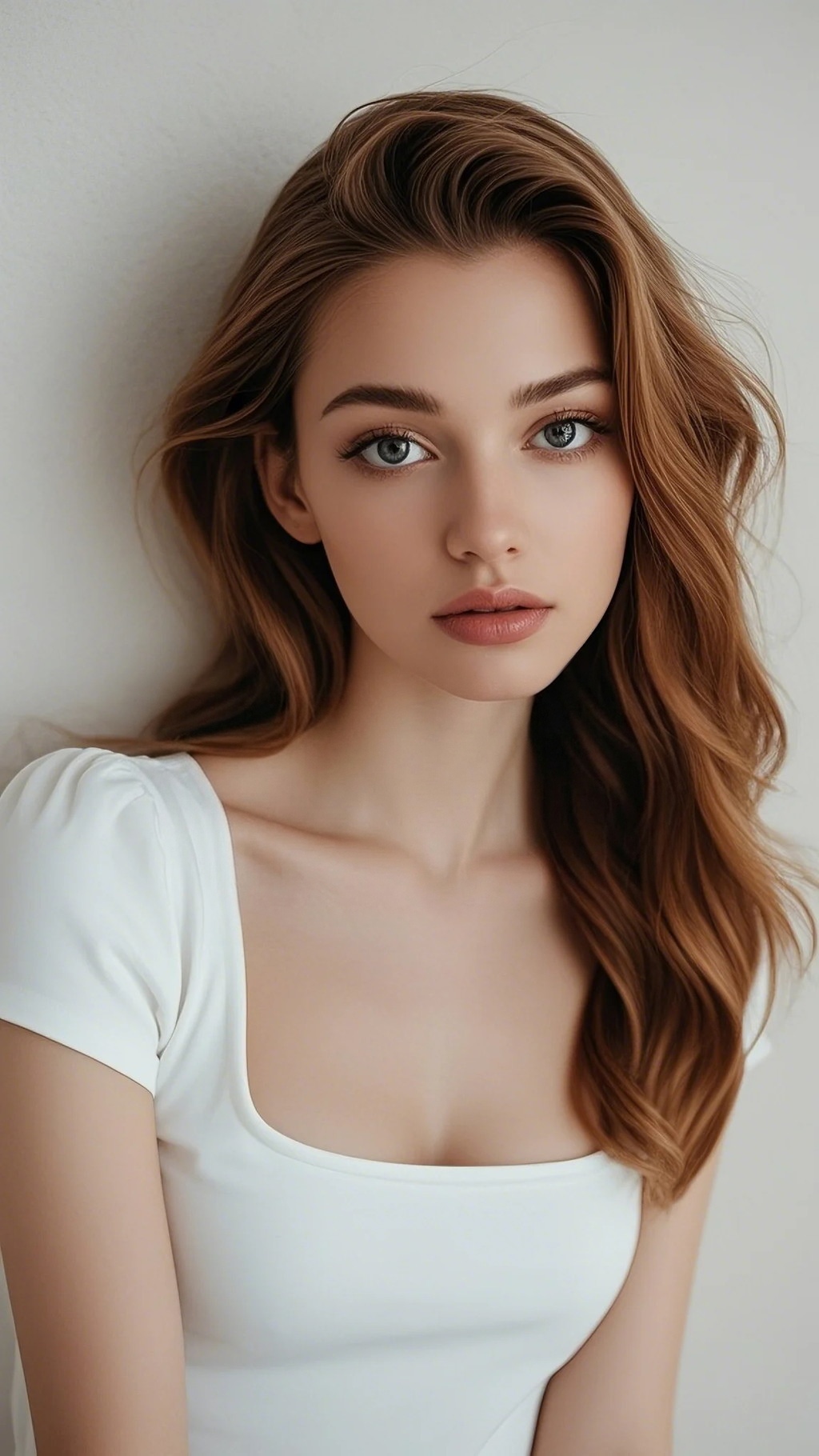
Original neutral selfie with flat ambient lighting.
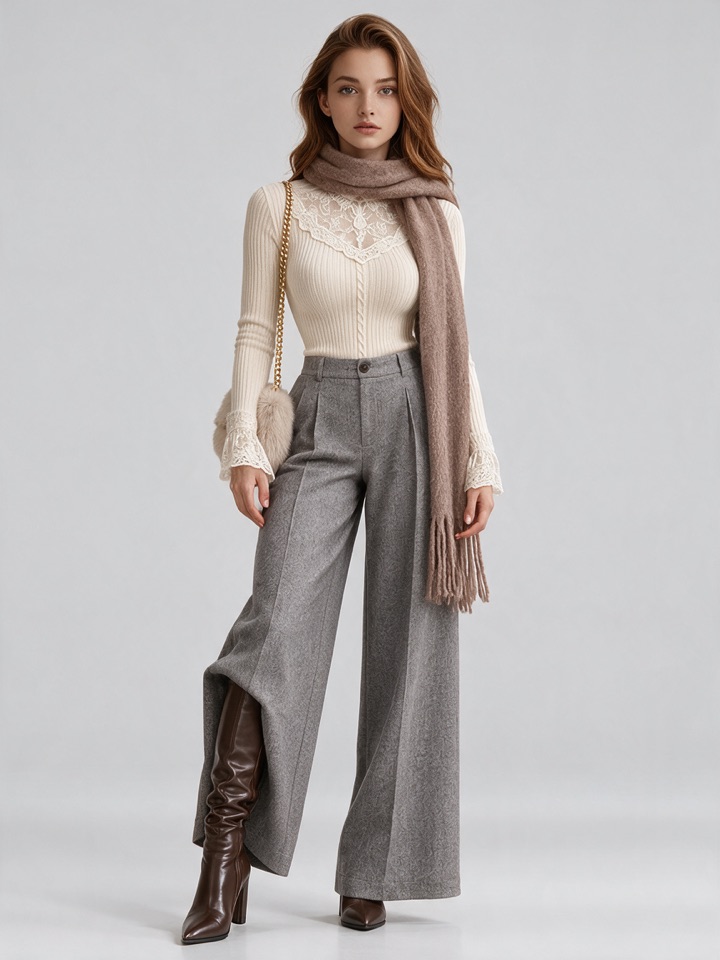
Complete posture change: hands relaxed, natural body drape, identical jawline.
2. Stable Diffusion + ControlNet (OpenPose) — Best for Open-Source Developers
Best for: Technical artists, developers, and power users with local GPU hardware (NVIDIA RTX 3060 12GB or higher) who want complete node-level control over joint angles.
The standard open-source approach relies on ControlNet OpenPose running inside ComfyUI or Automatic1111:
- Preprocessor: The
dw_openpose_fullpreprocessor detects 18 body keypoints, facial landmarks, and hand finger joints from a target pose reference photo. - Skeleton Map: It outputs a colorful stick-figure skeleton on a black canvas.
- Identity Injection: To keep the person's face from turning into a generic AI face, you must stack an IP-Adapter FaceID Plus v2 model or train a custom 15-image LoRA on the subject.
- Diffusion Pass: The base checkpoint (e.g. SDXL or Realistic Vision) renders the figure along the skeleton guidelines.
Trade-offs: While infinitely customizable, this requires a powerful local workstation, 15–20 minutes of setup per session, and regular troubleshooting of disconnected limbs, unnatural finger counts, and identity drift.
3. Midjourney (Vary Region / Inpainting) — Best for Artistic Exploration
Best for: Digital illustrators and conceptual designers who prioritize artistic rendering over strict anatomical accuracy.
Midjourney does not feature an explicit "pose picker" or skeletal conditioning tool. To change a pose in Midjourney:
- Generate or upload a photo using
--cref(character reference). - Use Vary (Region) to brush out the body while attempting to preserve the face box.
- Prompt the desired body action (e.g.
standing with hands in pockets, tailored coat).
Trade-offs: Inpainting a complete body while keeping the head fixed frequently leads to mismatched neck proportions, "floating head" seams, and subtle changes to the eye shape and nose contour. It is suitable for stylized art, but unreliable for realistic photography.
Why Face Likeness Fails in Traditional Tools
When an AI model attempts to change a person's pose, three failure modes typically occur:
- The Floating Head Seam: Old-generation tools attempt a two-step process: change the body with one model, then run a face-swap script (like RoOP or ReActor). Because the head angle and neck muscles do not match the new shoulder tilt, the result falls straight into the uncanny valley.
- Identity Dilution: Diffusion models generate images from text noise. Without structural facial constraints, prompting "confident walking stance" biases the model toward celebrity training data, subtly transforming your cheekbones and jawline into someone else.
- Skin Tone & Lighting Disconnect: If your original photo was taken under warm incandescent indoor bulbs and the new pose is set on an outdoor sunny street, naive inpainting fails to adjust subsurface skin scattering.
How AIPose Solves Likeness
AIPose uses multi-reference conditioning that feeds the facial feature vectors and the target pose skeleton into the same diffusion passes simultaneously. The model paints the facial skin, neck shadows, and shoulders as a unified continuous subject, preserving:
- Exact distance between pupils and nasal bridge.
- Individual chin shape and jaw contour.
- Natural eye reflections and skin undertone consistency.
Step-by-Step: How to Change a Pose in AIPose
Changing a pose on AIPose takes three simple steps with zero prompt writing:
- Upload One Neutral Portrait: Select a clear photo where your face is well-lit and unobstructed. You do not need professional lighting — a smartphone portrait against a plain wall works perfectly.
- Choose a Pose Preset (or Surprise Me): Browse 220+ curated poses sorted by vibe (Editorial, Street, Studio, Executive, Casual). If you are unsure, click Surprise Me to generate a discovery batch of 4 diverse drafts.
- Lock & Refine in 2K HD: Click "Lock Pose" on the stance that flatters your silhouette best. You can swap outfits while holding the stance, or immediately click "Refine in HD" to produce a 2K resolution master ready for social media or portfolios.
Real Pricing & Credit Transparency
We maintain transparent, checkable credit mathematics:
- 12 Welcome Credits on Signup: Automatically added when you register. Zero credit card required.
- Credit-light Drafts: Images start at 1 credit each (varies by model) — a 4-draft batch costs only a handful of credits.
- 15 Credits per 2K HD Master: Employs full-parameter identity refinement and high-resolution upscaling.
- Credit Packs & Subscriptions:
- 60 Credits: $4.99 one-time (enough for 20 drafts or 4 complete HD masters).
- Basic Plan: $9.90 / month (150 credits).
- Pro Plan: $19.90 / month (400 credits + Pose Pass included).
Copyable Prompt Direction Cards
While AIPose requires no prompt writing, you can optionally drop stylistic hints into the instructions box to influence the mood of your drafts:
Editorial High-Fashion Stance
Candid Streetwalk Movement
Executive Desk & Headshot
Frequently Asked Questions (FAQ)
Can I change only the pose and keep my original clothes?
Yes. In the styling panel, select your target pose preset while selecting the outfit preset that closest matches your original look, or lock the outfit across consecutive batches.
Does changing the pose also change the background?
Yes. A realistic pose change requires matching environmental perspective and light direction. AIPose generates the background and lighting in harmony with your chosen stance to avoid looking like a cut-and-paste sticker.
Is my uploaded face photo safe?
Your uploaded source photo is used solely to generate your requested session images. We do not sell your personal data or use private portraits to train public foundation models. You can delete your uploaded photos and generated images from your account at any time.
Final Recommendation
- For most creators, founders, and ecommerce sellers: AIPose (aipose.org) offers the cleanest balance of fidelity, speed (35s), and ease of use, with 12 free credits to test without a paywall.
- For technical GPU engineers: Build a local ComfyUI + ControlNet OpenPose pipeline for unlimited granular skeleton manipulation.
- For painterly art projects: Use Midjourney Vary Region if exact face likeness is secondary to painterly aesthetics.
Related guides
- How AI Changes Poses Without Changing Your Face (Forensic Identity Locking)
A technical deep-dive into AI pose modification without facial drift: the denoise dilemma, what actually preserves facial identity, and how multi-reference conditioning avoids LoRA training and face-swap seams.
Nov 5, 2026
- How to Copy a Pose from One Photo to Another with AI (Step-by-Step)
A complete guide to cloning poses from Pinterest, Instagram, or editorial magazines onto your own photos using AI: transfer body postures with zero manual bone drawing while preserving 100% facial likeness.
Nov 5, 2026
- Lock a Pose, Change the Outfit: The 4-Draft AI Studio Workflow (2026 Guide)
A step-by-step walkthrough of generating multiple poses and outfits from one photo: the 4-draft discovery loop, locking mechanics, real credit costs, face consistency limits, and failed cases.
Nov 5, 2026